 PC2Radio
A look at the current prototype
Development preview · prototype 0.5
pc2radio MPX is a PCS Electronics software project for preparing audio and generating an FM stereo composite signal. These screenshots come from the actual Windows test build, captured with audio output stopped. They are not concept mockups.
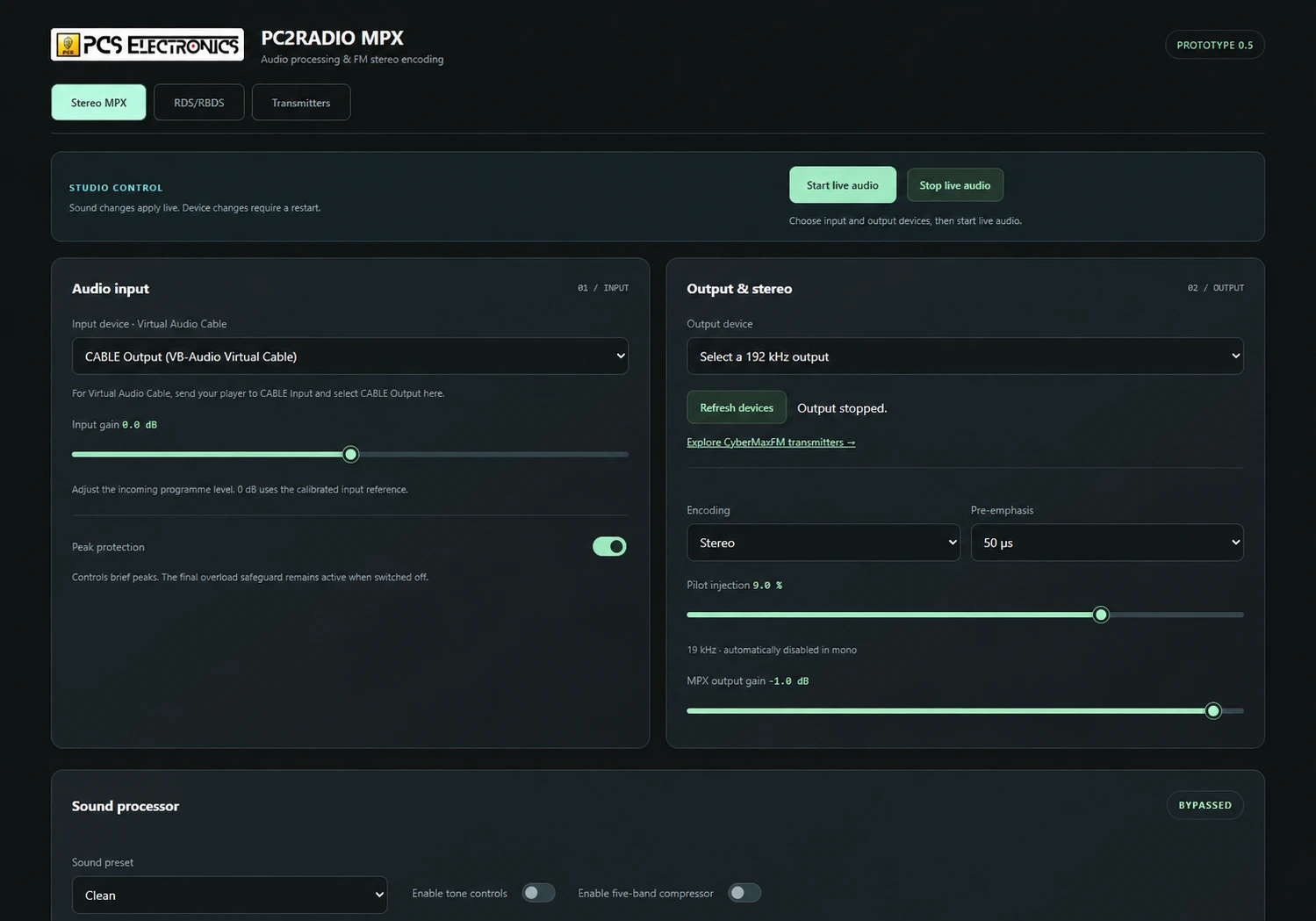
Audio in, MPX out
The prototype provides audio-input selection, processing controls and a direct MPX output path. Its documented input options include supported live audio devices, virtual audio cable routing and loaded audio files. The output requires a suitable 192 kHz device and the transmitter’s dedicated MPX input.
Processing controls include tone adjustments, compression and peak protection. Settings should be chosen for the programme and then checked at the transmitter; adding more processing is not automatically better.
Station identity and text
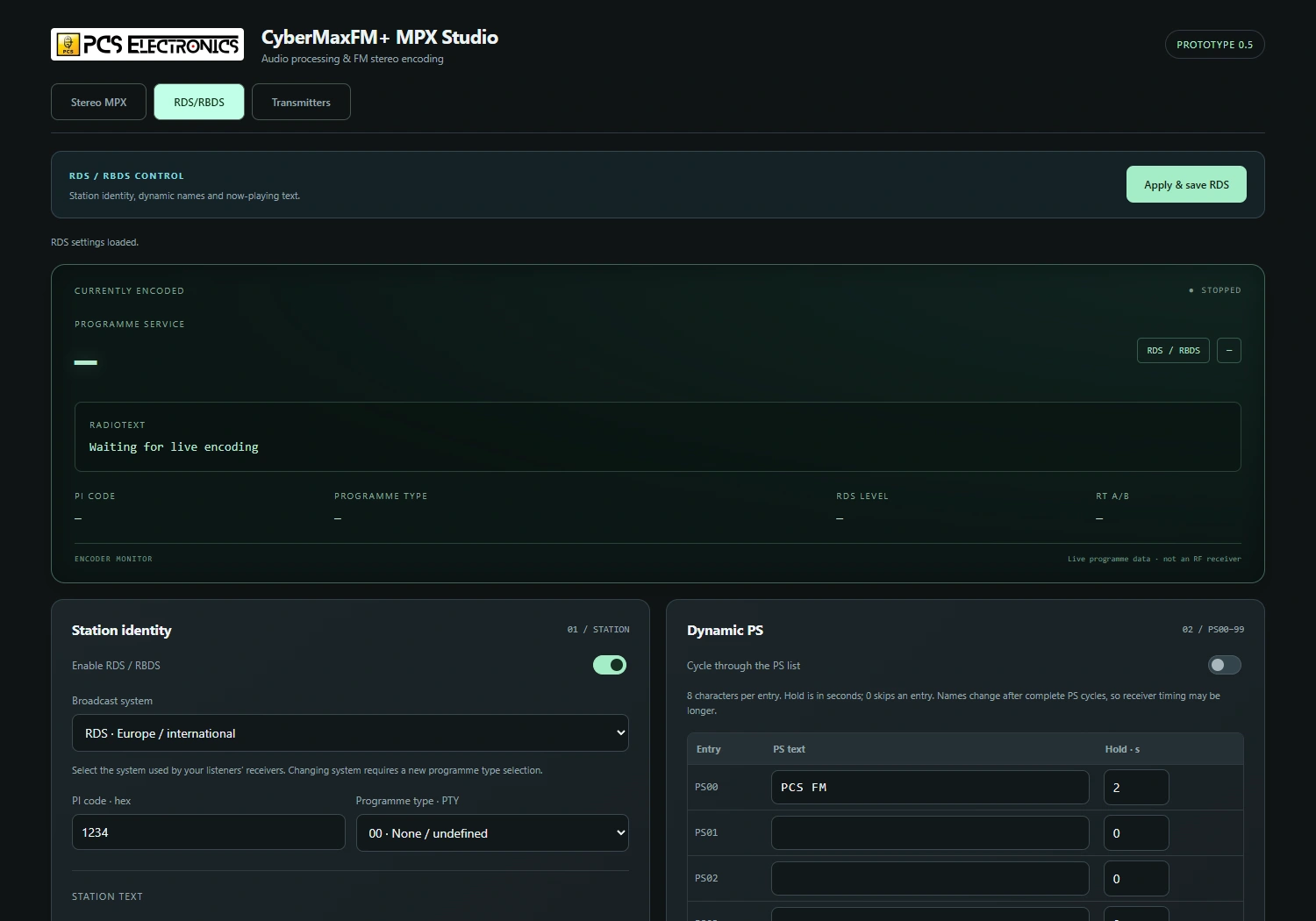
The RDS tab brings station identity and text settings together. The prototype includes station-name entries, RadioText and text-file update controls. Local broadcast rules and receiver behaviour still matter when deciding what text to transmit.
What is ready—and what is still being checked
A standalone Windows test build exists. The project has exercised device enumeration, settings, RDS handling and MPX file rendering. Long-duration operation, final hardware calibration and independent waveform compliance require further validation before a production release.
This page is a preview, not a public download or a claim of certified broadcast performance. No release date or price is promised. Features remain subject to development and testing.
Discuss a suitable setup
Tell PCS which transmitter and audio interface you use and whether your source is a mixer, automation software or audio files. That is the useful starting point for evaluating a computer-based MPX setup.
Let’s check your setup.
Send your transmitter model, operating system, audio interface and whether the transmitter is local or remote.
Email demerzel@pcs-electronics.com →Advice, product prices and orders are handled by PCS Electronics.
Software images show the English prototype. The audio-screen header has been updated to the current PC2RADIO MPX branding.